The Tabs: 1-12
This page will go over the parts of the student tabs 1-12. For help with adding grades see: Adding Grades. For help with Lab WU see: Lab WU Help

If you do not see the tabs, maximize the file. Keyboard shortcut to maximize Ctrl F10. See also: 12-16 Help
Worksheets 1-12- Row 1, Class, Name, and Year
Worksheets 1-12 receives information from INFO. The words that you typed into INFO are picked up in each of the 1-12 worksheets. Do not type anything in row 1 of the 1-12 worksheets.

Worksheets 1-12- The 16 Chapter/Module Blocks

What Can be Changed in the 16 Chapter/Module Boxes
- You can change any of the words in the chapter blocks.
- You can change the 3 Red percentages. The red percentages must total 100%. You do not have to use all three of the red percentages. [Read More]
- The white squares are for grade scores and credit/points. [Read More]
C26, C51, C79, C104: Quarterly Project Fields -OPTIONAL
In rows 26, 51, 79, & 104 there is a place for a quarterly Opt: Project. This Opt: Project can be an extra assignment such as a project or it can be used for a quarterly test.
Optional: This feature is completely optional! If you do not have a quarterly test or a project that is so important that it would count as part of the quarterly grade, then Leave the Score Cell Blank. The score cells are C26, C51, C79, & C104.

Pictured above: The score field is empty.

Pictured above: The score field has 87%.
Weight of Opt: Project: If you decide to use the quarterly Opt: Project you should decide what percentage of the quarterly score that the project/test grade will take from the quarterly average. The weight of the project/test is changed in cells B26, B51, B79, & B104. They are currently set at 20%.
If you decide to use any one [or more] of the Opt: Project
- You can change the words: Opt: Project to something else.
- Decide on the percentage of the quarterly grade this score will take.
- Add the score/grade. The quarterly average will automatically adjust
- Do Not type in the Blue areas.
Semester Test Scores - [Optional]
The semester test score fields are optional. If you do not give a semester test, then leave the test score fields blank. If you do give a test, decide what percentage that the semester test will take from the semester average. Enter the number next to the Semester Exam % cells. It is currently set at 30%. The semester grades will automatically appear if you use the semester exam option. You will see both semester scores, the one with the exam factored in and the score without the semester score.

Do Not Type ...
 I recommend that if you need to unprotect the worksheets, that you protect them again as soon as you are finished with what you needed to do. For instance, to add an image to a worksheet, the worksheet must be unprotected. Be particular when the worksheets are unprotected. Removing data from some of the cells renders the grade keeper useless. Please keep the worksheets protected!
Hello Visitor!
I am currently working on this website to add to its ginormousness. Thank you for visiting, and please subscribe yearly to access my many printable files! Donna Young
May 13, 2021

 Access to Lab WU Grader
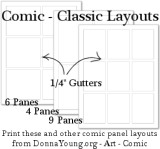 I have added 3 classic layouts - 4-Panel, 6-Panel, and 9-Panel.
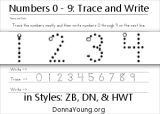 Handwriting practice just for numbers 0 through 9.
 Bear-in-a-Bag Christmas Ornament
 Member's Login
 RSS Feed